5 Ways to Get Mockups for Your Wall Art Shop
Discover 5 ways to create realistic mockups for your Etsy wall art shop — from DIY photography to AI and ready-made Etsy mockups. Compare pros and cons
Katiko Studio
3 min read
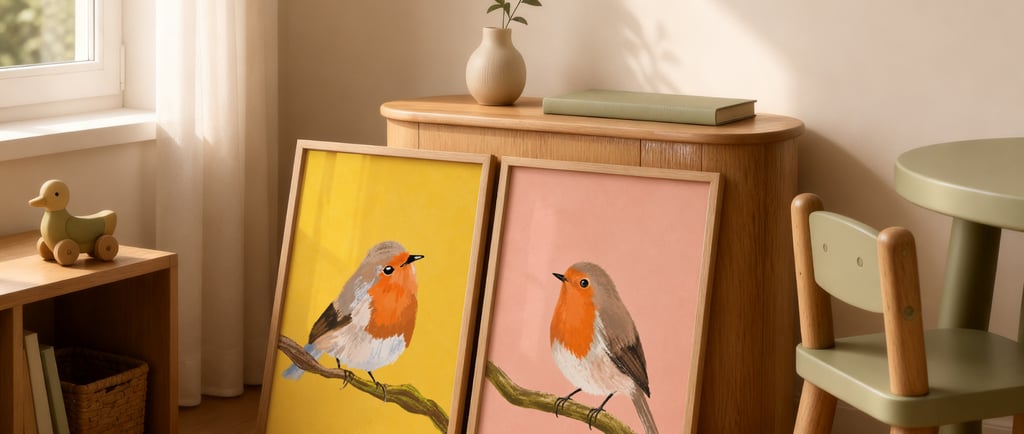
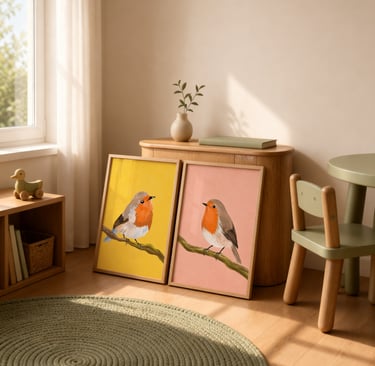
If you sell printable or physical wall art on Etsy, you already know: a plain print on a white background doesn’t sell. Buyers need to see it on a wall, in a room, at scale — before they’ll click “add to cart.”
The good news is you have more options than you think — from shooting it yourself to using tools that do the realism for you. Here are five ways sellers create mockups, with the real pros and cons of each.
1. DIY Photography
Print your art, put it in a real frame, photograph it in a real room.
Pros: Completely authentic, great if you already sell physical prints.
Cons: Slow, needs good lighting and a decent camera, and you’re limited to the rooms and frames you actually own. Not practical for digital-only sellers with dozens of listings.
2. Free Online Mockup Generators (Placeit, Smartmockups)
Web tools where you upload your art and drop it into a preset scene.
Pros: Fast, no software needed, decent free tiers.
Cons: Free scenes are used by thousands of other sellers, so your listings can start looking generic. Better/more realistic scenes usually sit behind a subscription, and customization is limited.
3. Canva Mockup Templates
Canva has a growing library of frame and interior mockups you can drop your design into using its smart-object-style frames.
Pros: Familiar interface if you already design in Canva, quick for beginners.
Cons: Selection is more limited than dedicated mockup tools, and some effects (like realistic distortion on angled walls) aren’t fully supported yet, so results can look a bit flat.
4. Generating Mockups Yourself with AI
Using an AI image tool to generate an interior scene, then compositing your art into it (or generating the frame and art together).
Pros: Total creative control over the room style, lighting, and mood — you can create scenes no one else has.
Cons: Real learning curve. Getting frames to look proportionally correct, straight, and realistically lit takes a lot of trial and error. Time-consuming if you need many listings.
5. Buying Mockups from Etsy Sellers
Etsy has a whole niche of sellers who create mockups specifically for wall art and print shops — sold as single files, small sets, or larger bundles, usually a mix of JPEG previews and editable PSD smart object files.
The biggest difference between this and the other options on this list: you’re buying real, finished interior scenes, not a tool you still have to master. Every frame is already styled, lit, and staged in a realistic room — no fiddling with AI prompts, no learning warp tools, no hunting for a free scene that doesn’t look like everyone else’s.
Because so many different sellers make these, there’s real variety out there — you can pick and mix room styles, frame counts, and layouts from different shops instead of being stuck with one tool’s built-in library. And once you buy a mockup, it’s yours: no subscription, no watermark, no “renew or lose access.” You drop your art in, export, and reuse the same files for every new design you release, for as long as you sell.
Pros: Realistic, professionally staged interior scenes without needing photography or advanced design skills; huge variety of unique styles, frames, and layouts across different sellers and shops; usually compatible with Photoshop, Photopea, or Procreate; one-time purchase, yours to keep and reuse forever.
Cons: Unlike some free tools, there’s no free tier here — every mockup is paid. But prices are usually low, and in exchange you own the file outright instead of renting access to it. That trade-off can actually work in your favor: you can find rare, niche styles you won’t see anywhere else, and grab them before other sellers in your niche discover the same shop.
This is actually the option a lot of digital wall art sellers land on once they’ve tried a few of the others — it hits the sweet spot between realism, variety, and speed.
So Which One Should You Use?
If you’re releasing new art regularly (weekly or monthly), a smart-object mockup bundle — Photoshop, Photopea, or Procreate compatible — is usually the fastest way to get professional, varied, realistic listing photos without redoing the work every time.
Whatever you choose, the goal is the same: help your buyer picture your art on their wall before they’ve even bought it.
Looking for ready-to-use frame mockups for your Etsy shop? Browse the Katiko Studio collection for smart-object bundles compatible with Photoshop, Photopea, and Procreate.
Katiko Studio
Lived-in elegance for digital art listings.
Home-Mockups-About-Journal-FAQ-Free Mockup
Find us
hello@katikostudio.com
Etsy: KatikoStudio
Pinterest: @katikostudio
© 2026 Katiko Studio-Curated room staging for digital artists.
Lived-in elegance